The VGOS platform offers a flexible reporting system. Reporting tools can be found on the "Home" tab under the "Reports" sub-tab.
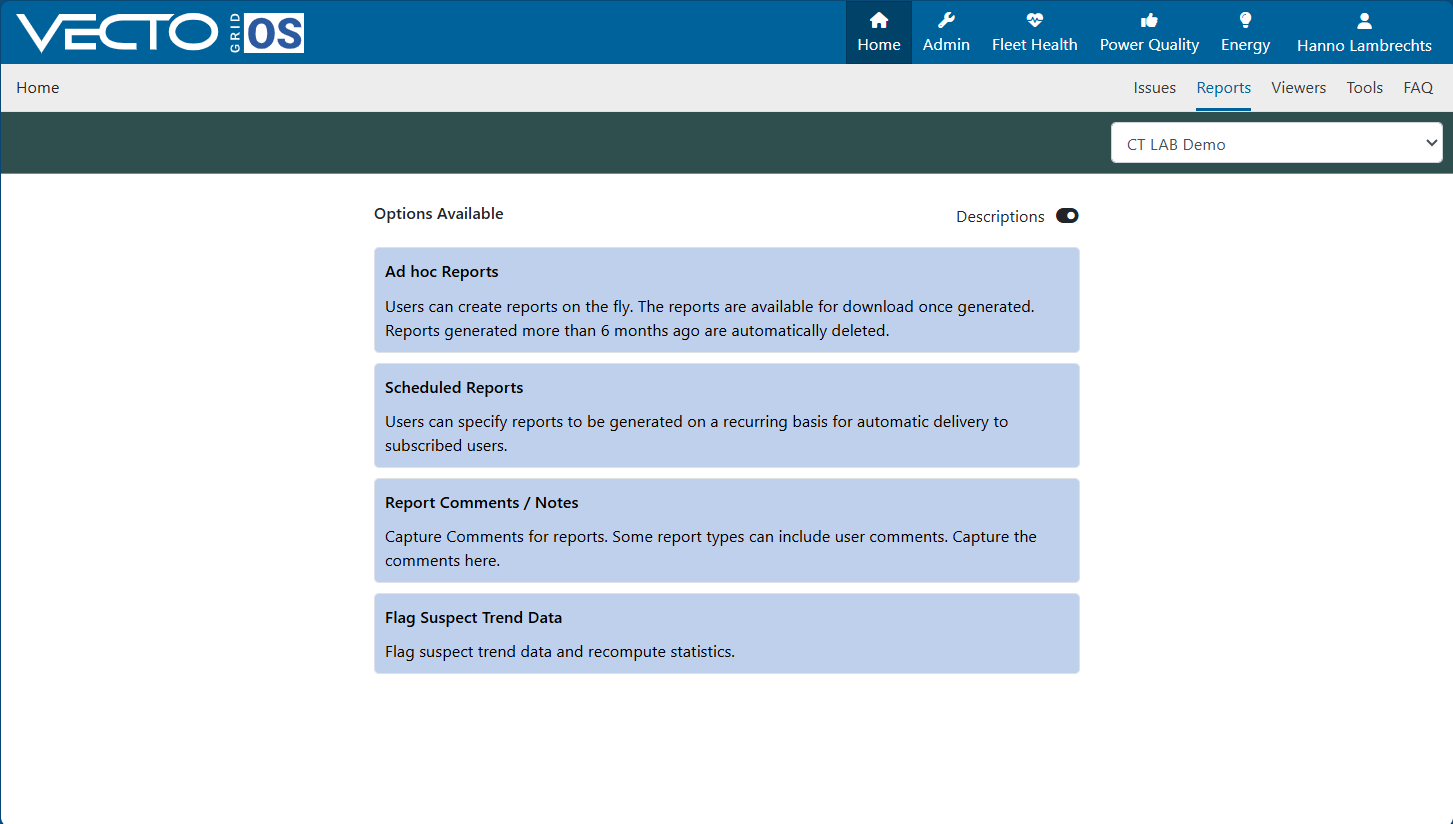
Users can create Ad Hoc Reports for one-time analysis or queries.
In addition, there is a scheduled reports feature that enables users to set up automated reports to be generated and delivered at regular intervals to a list of users. This ensures consistent access to key data without the need for manual intervention each time.
¶ Ad Hoc Reports
To create an ad hoc report.
Click on the "Ad Hoc Reports" option under the "Reports" sub-tab. Then in the top left click "Schedule New" to create a new report.
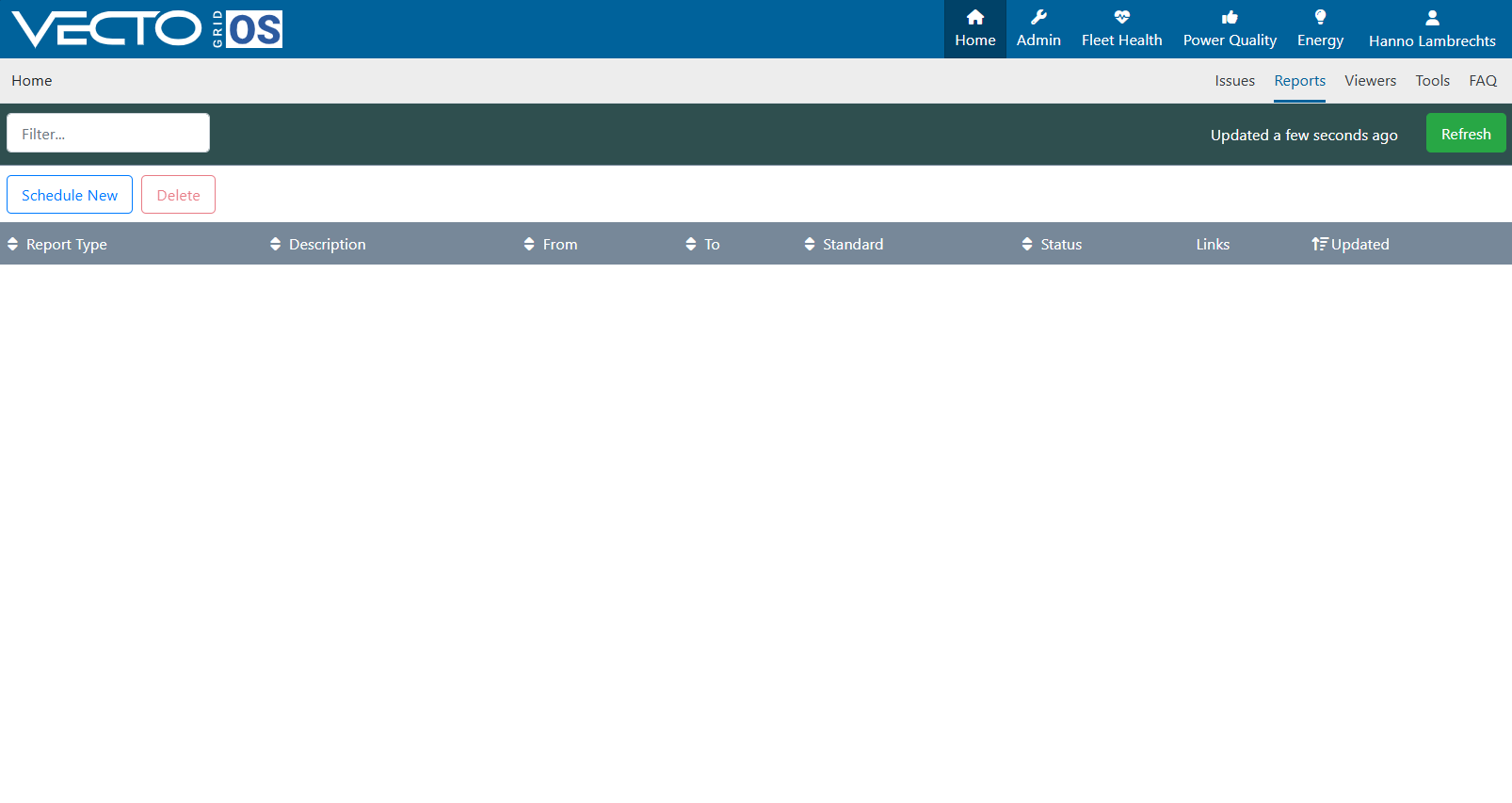
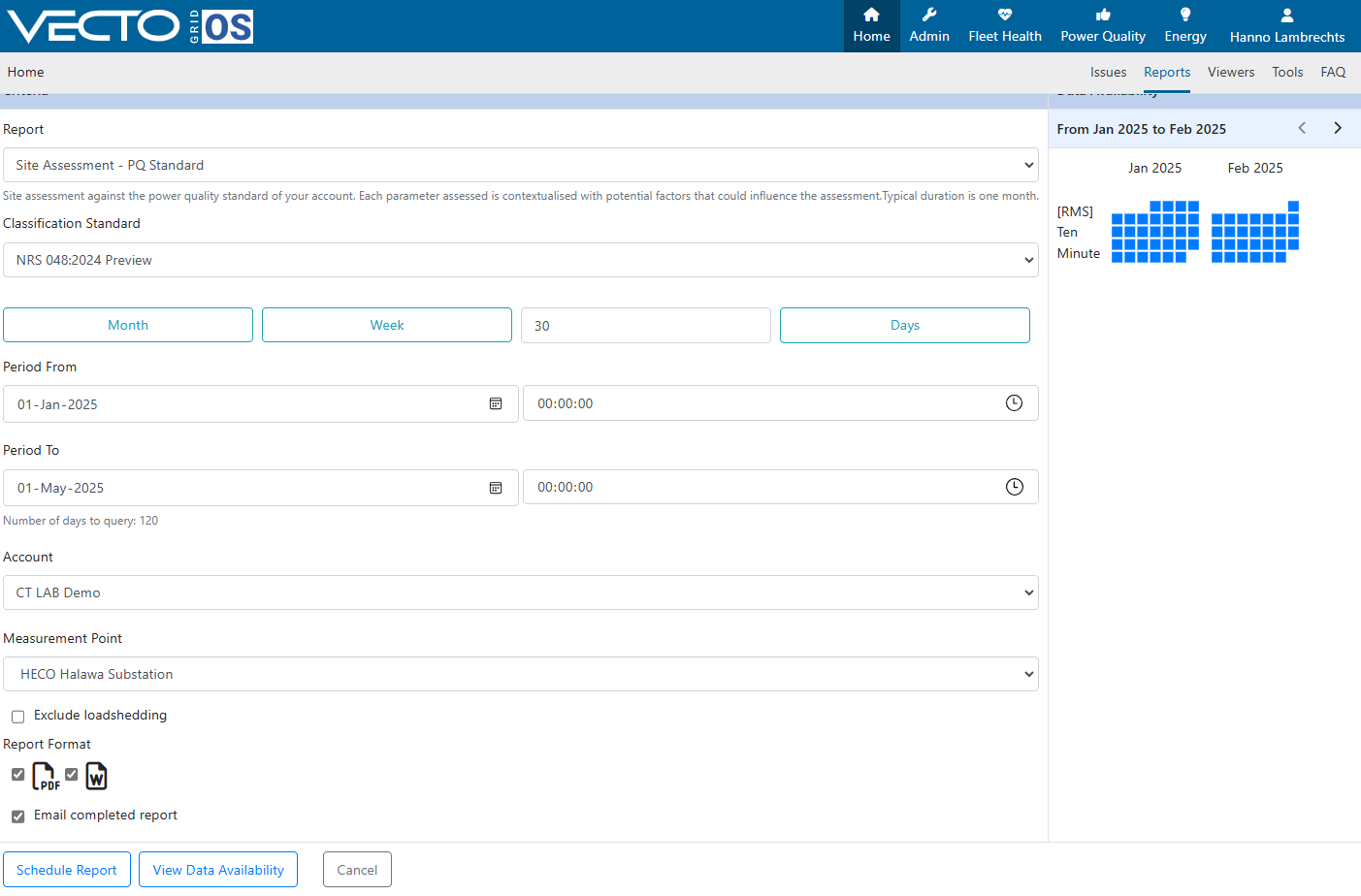
Spesify the parameters of the new report by choosing the required paratemers per report type selected. See report types for a breakdown of each type of report that can be generated.
Ensure all parameters such as the classification standard, reporting period and measurement point is selected. Choose where to generate the report, in an MSWord and/or PDF format, and if you want to receive the finished report per email or not and click "Schedule Report"
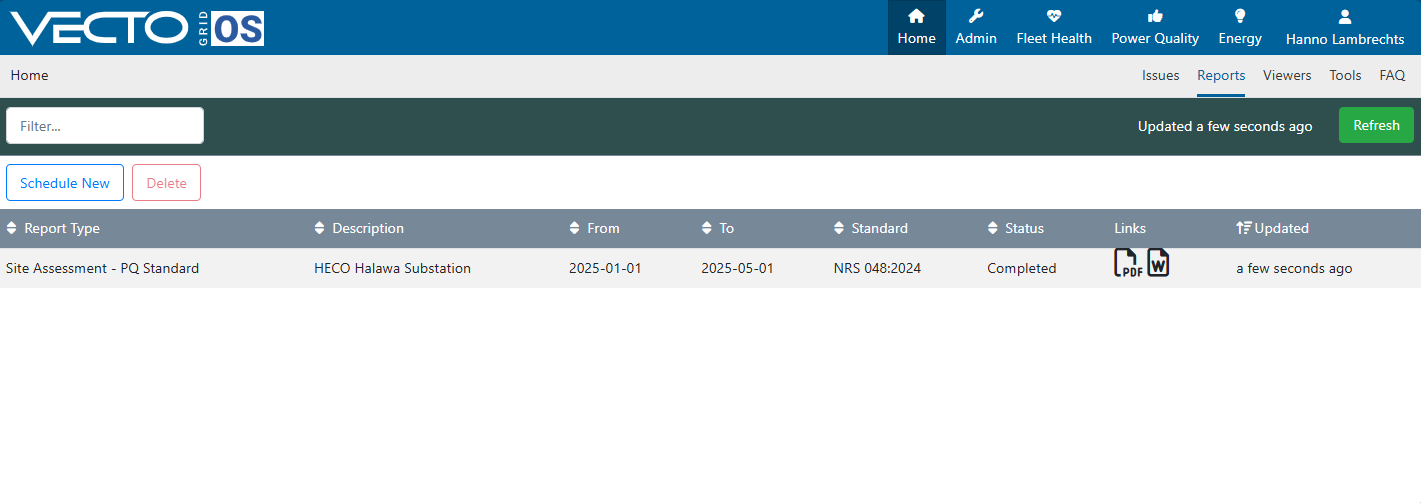
Once the report is scheduled and the status field says "Completed", the report can be found in your email inbox (if you have selected to receive it by email) or it can be downloaded from the "Ad Hoc Reports" page by clicking on the PDF or the MSWord icon in the report entry under the "Links" column.
¶ Scheduled Reports
To create a scheduled report:
Click on the "Scheduled Reports" option under the "Reports" sub-tab.
This view shows all your scheduled reports. To add a new scheduled report, click the "Add" button in the top left.
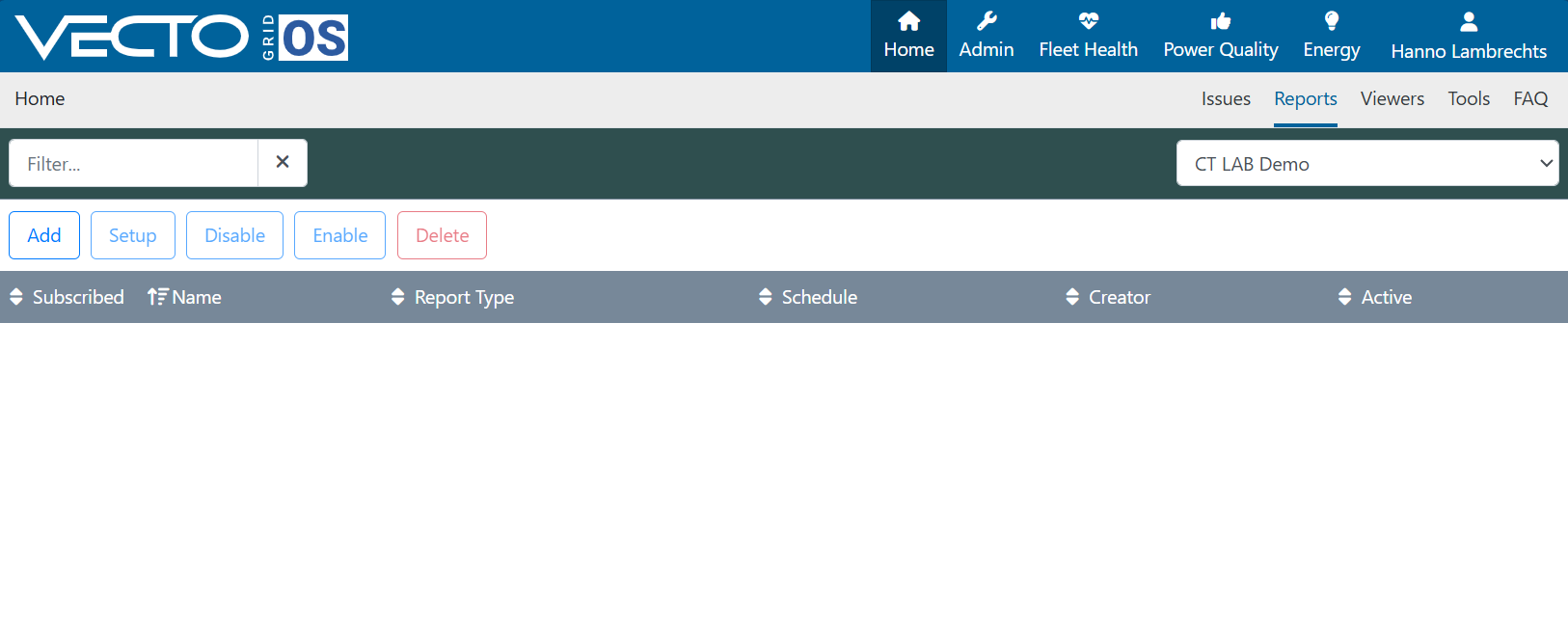
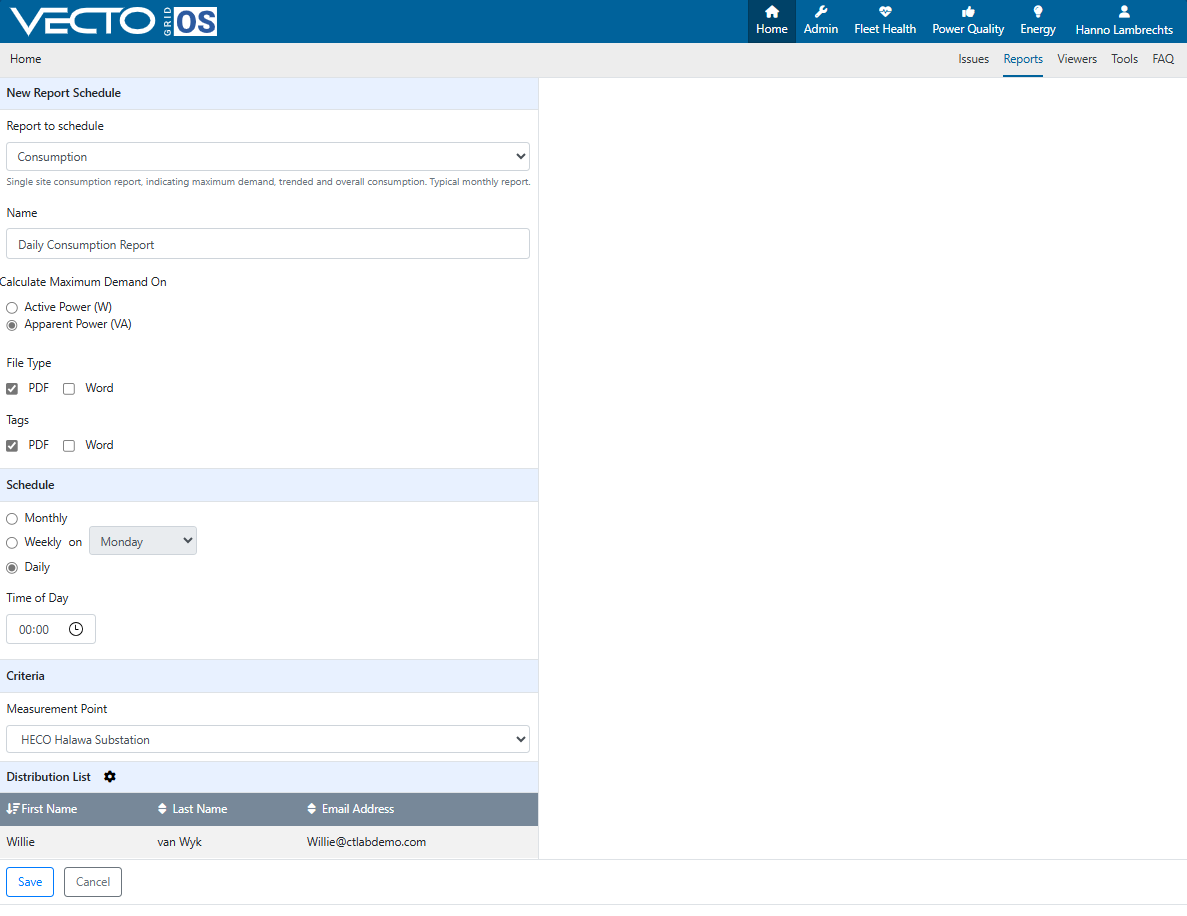
Choose a report type. See report types for a breakdown of each type of report that can be generated.
Then set your schedule. Reports can be sent on a monthly, weekly or daily basis.
Set the distribution list by clicking on the gear icon and selecting all the users who should receive the report on the selected schedule.
When done click the "Save" Button. Test report will immediately be generated and sent to the distribustion list after a new report is created, from then onwards the reports will be sent on the chosen schedule.
¶ Types of Reports
See report types for a breakdown of each type of report that can be generated.